
Multi-dimensional arrays
Two-dimensional arrays 
| Code | Result |
|---|---|
// Allocation final int[][] MATRIX = new int[2][3]; // Initialization for (int row = 0; row < 2; row++) { for (int col = 0; col < 3; col++) { MATRIX[row][col] = col + row; } } // Output for (int row = 0; row < 2; row++) { IO.println(Arrays.toString(MATRIX[row])); } |
[0, 1, 2] [1, 2, 3] |
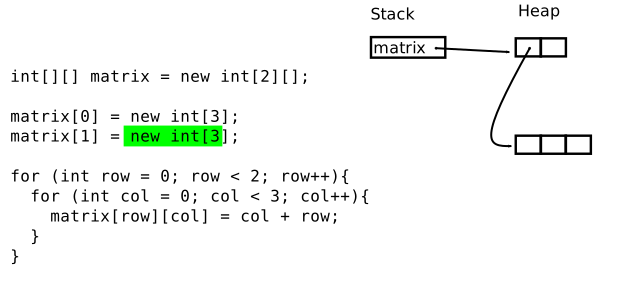
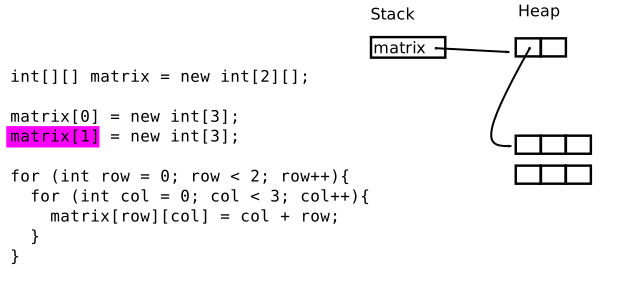
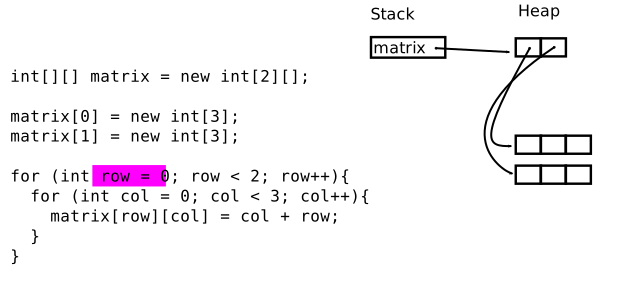
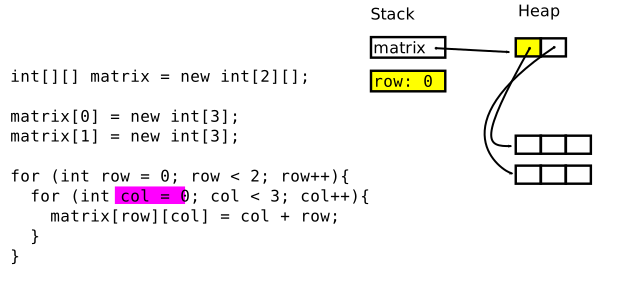
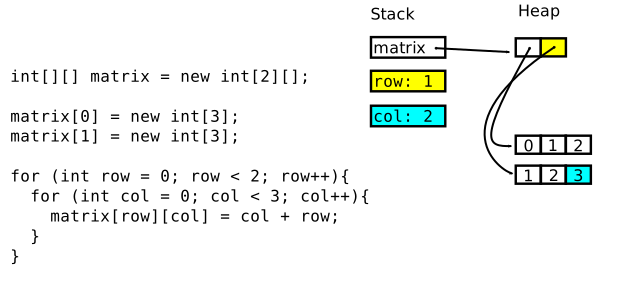
Behind the scenes final int[][] MATRIX = new int[2][]; // Array containing two int arrays
MATRIX[0] = new int[3]; // first int array
MATRIX[1] = new int[3]; // second int arrayConclusions:
-
Java only supports one-dimensional arrays.
-
By means of nesting we get the illusion of multi- dimensional arrays.
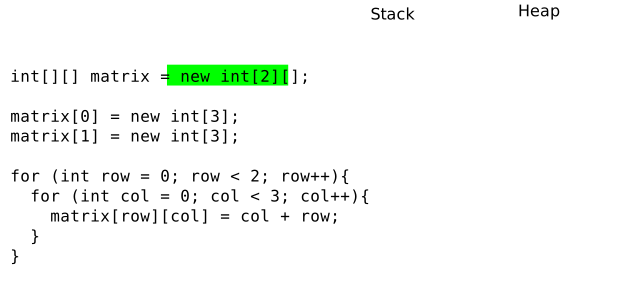
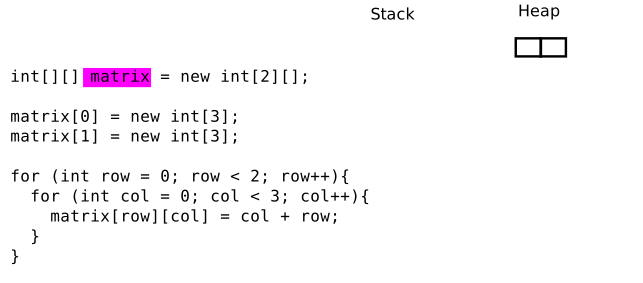
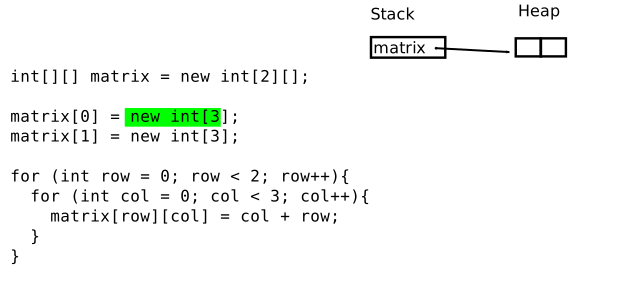
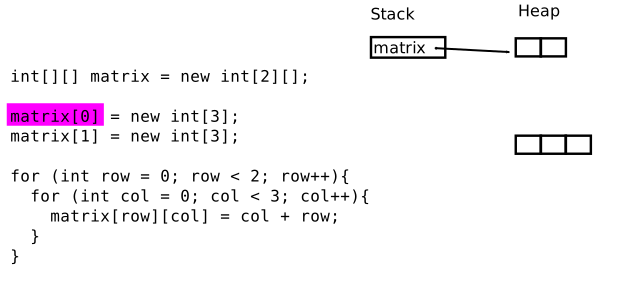
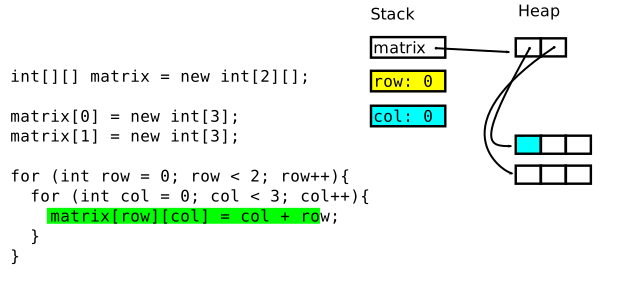
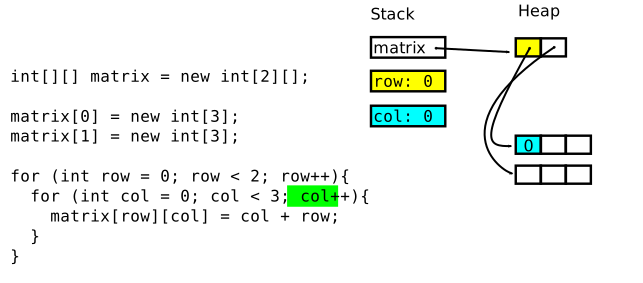
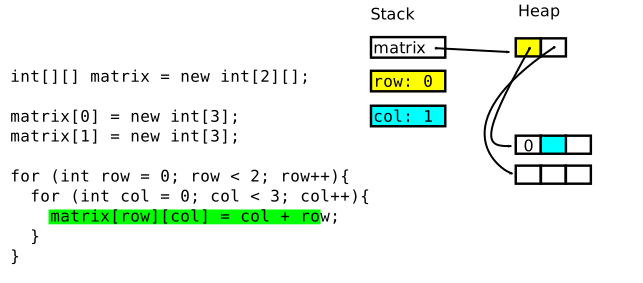
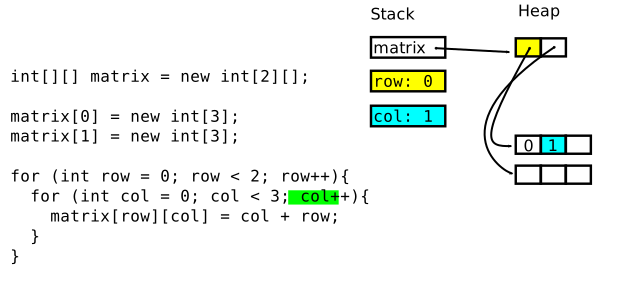
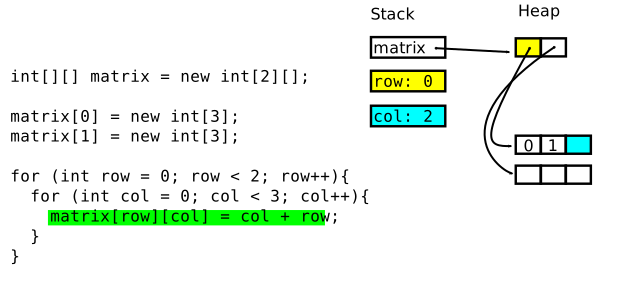
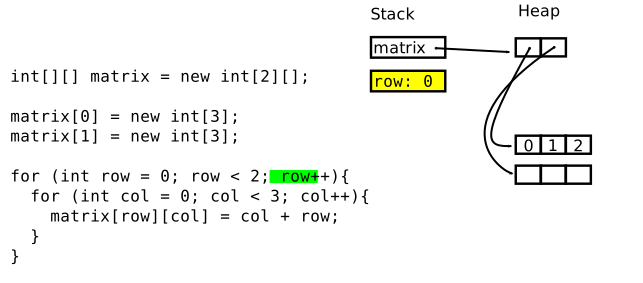
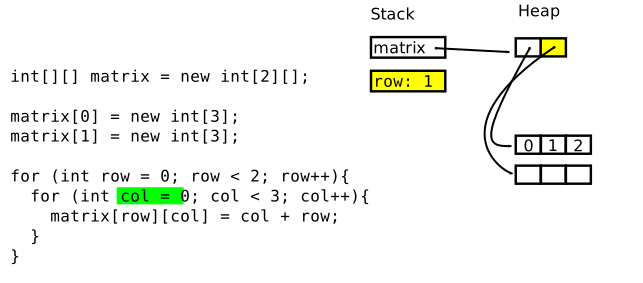
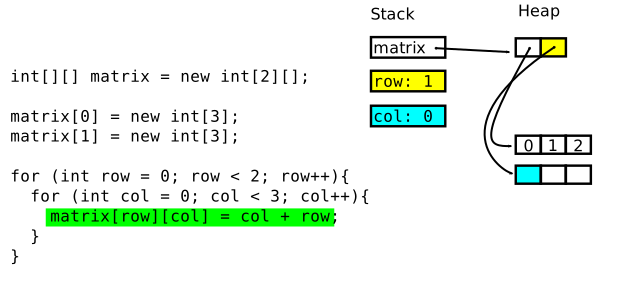
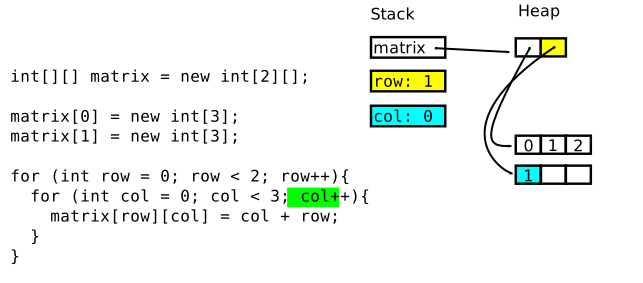
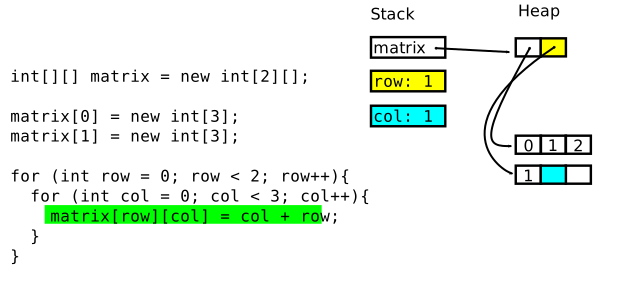
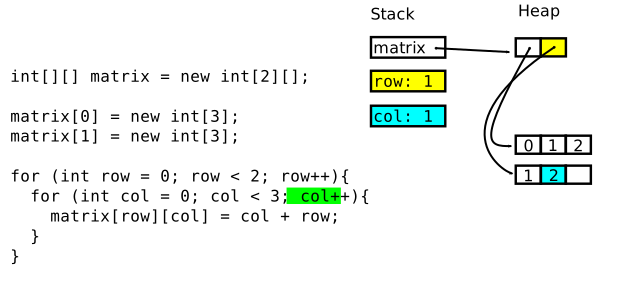
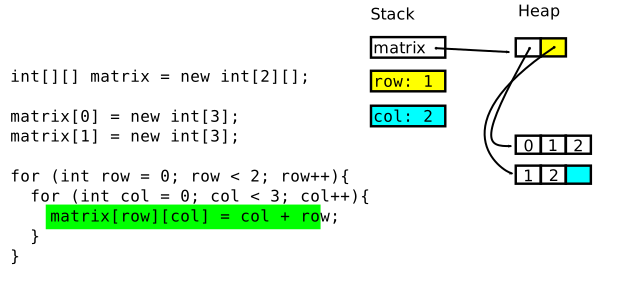
 No. 101
2-dimensional arrays and .length
|
Q: |
|
||||||
|
A: |
Two-dimensional arrays in Java™ are nested arrays of arrays. We thus choose appropriate data types: // Allocation final int[][] MATRIX = new int[2][3]; // Initialization for (int row = 0; row < MATRIX.length ❶; row++) { for (int col = 0; col < MATRIX[row].length ❷; col++) { MATRIX[row][col] = col + row; } } // Output for (final int[] ❸ row : MATRIX) { IO.println(Arrays.toString(row)); }
|
Nested array initialization final int[][] MATRIX = new int[][] {
{0, 1, 2},
{1, 2, 3}
};Nested »ragged« array
initialization | Code | Result |
|---|---|
|
[Jill Tom ] [Jane Smith Joe ] [Jeff ] |
No. 102
Representing revenues by quarter and department
|
Q: |
A CEO requires quarterly revenue reports for each of the company's three departments: ┃ Q1 Q2 Q3 Q4 ━━━━━━━━━━━━╋━━━━━━━━━━━━━━━━━━━━━━━━ Department 1┃ 17255 33198 32112 40213 Department 2┃ 7629 13221 9226 10231 Department 3┃ 34198 71926 25981 38912 Create a corresponding TipIf you actually favour colors like the above red text, you may want to read How to print color in console using IO.println. |
|
A: |
|
No. 103
Summing up revenues
|
Q: |
Extend the previous exercise by adding both quarterly and per-department revenue sums: ┃ Q1 Q2 Q3 Q4┃ Sum ━━━━━━━━━━━━╋━━━━━━━━━━━━━━━━━━━━━━━━━━━━╋━━━━━━━ Department 1┃ 17255 33198 32112 40213┃ 122778 Department 2┃ 7629 13221 9226 10231┃ 40307 Department 3┃ 34198 71926 25981 38912┃ 171017 ━━━━━━━━━━━━╋━━━━━━━━━━━━━━━━━━━━━━━━━━━━╋━━━━━━━ Sum┃ 59082 118345 67319 89356┃ 334102 |
|
A: |
|
